SkillsBot.org

Frontend Design Skills Compared

We gave Anthropic's frontend-design, impeccable, ui-ux-pro-max and emil-design-eng the same landing-page brief, twice each, alongside plain Claude, then compared the pages, their contrast and what they cost.

Tested by SkillsBot.org on . Same task, same settings, every skill installed on its own.

Our head-to-head test

We asked four design skills for the same bakery landing page

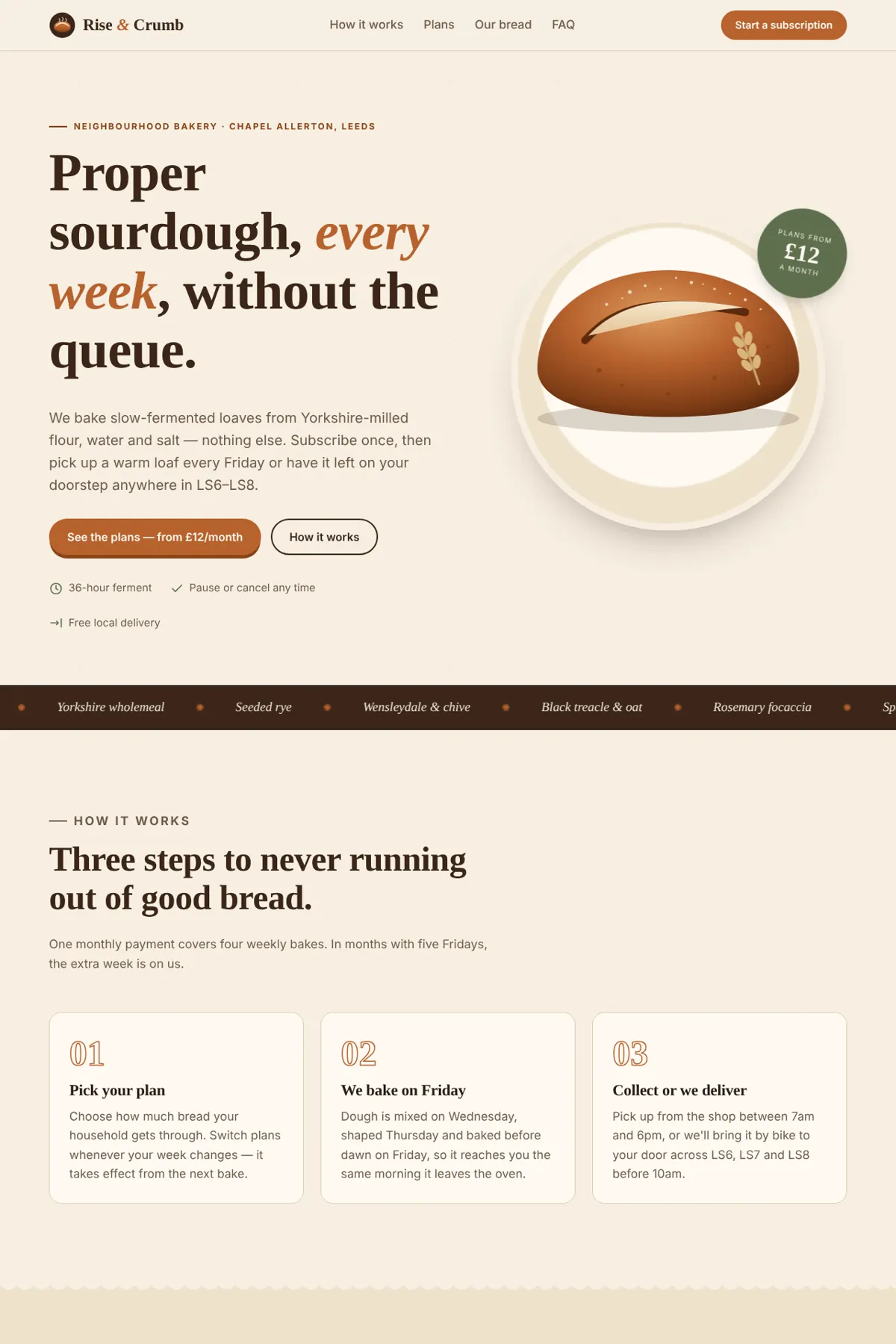
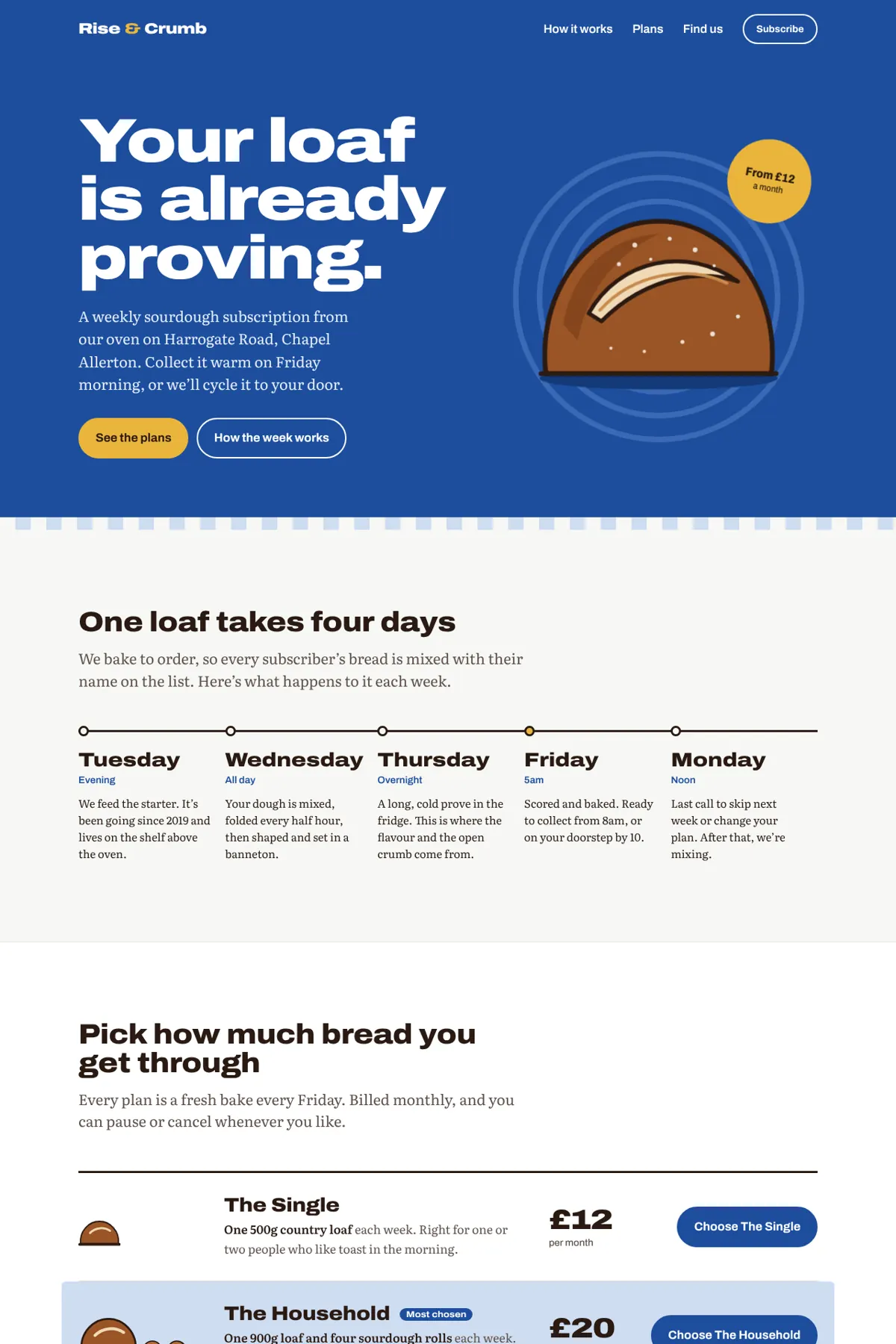
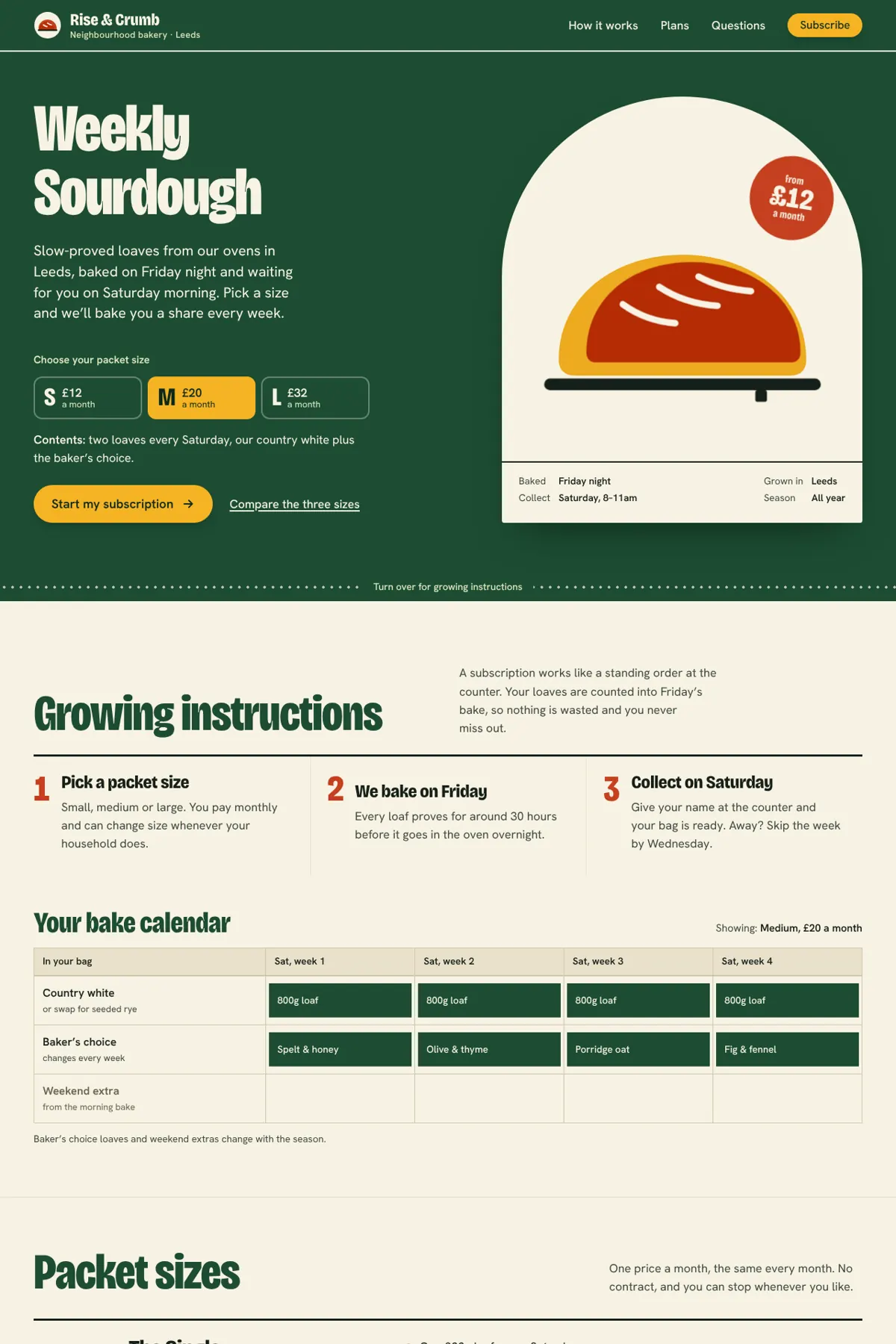
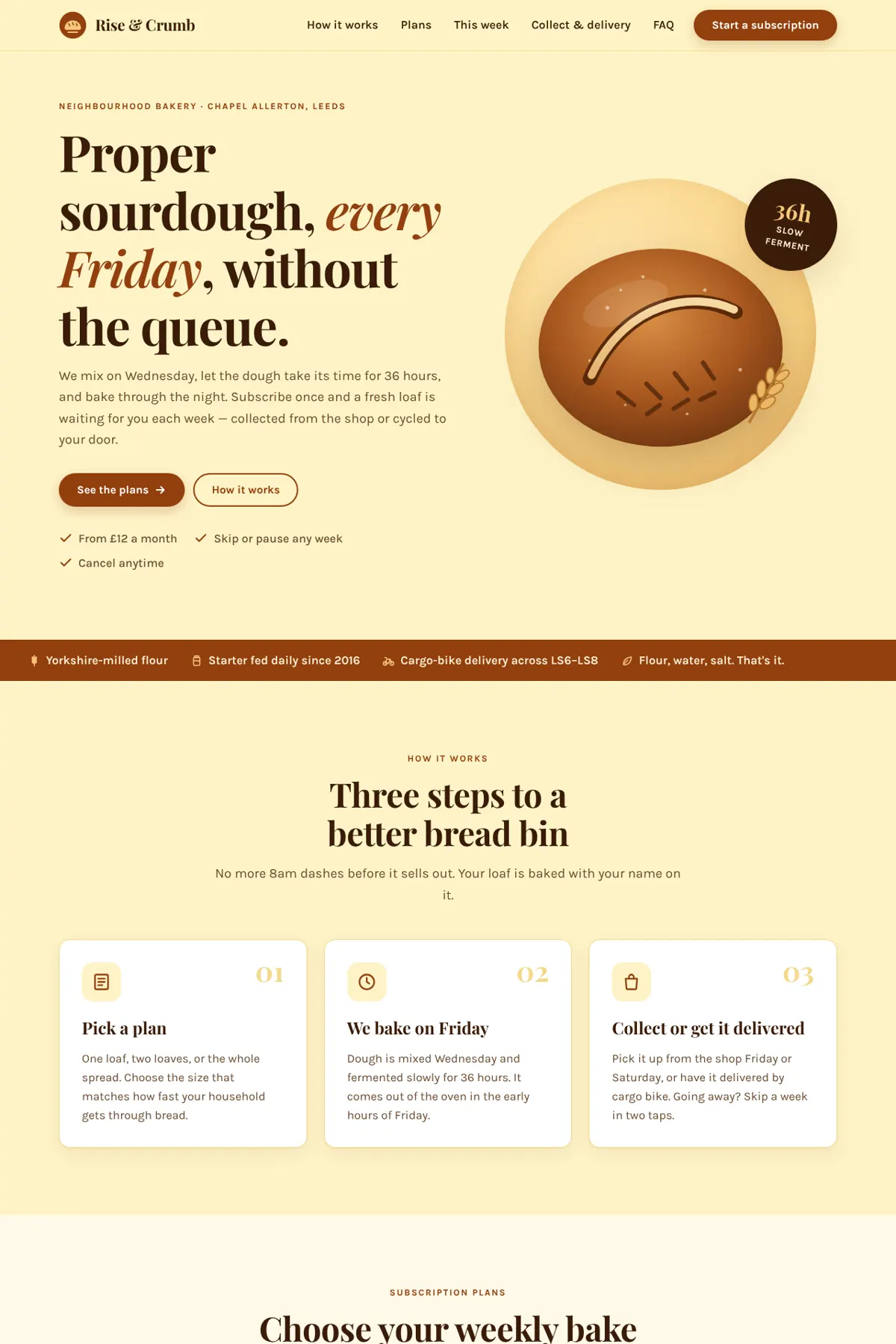
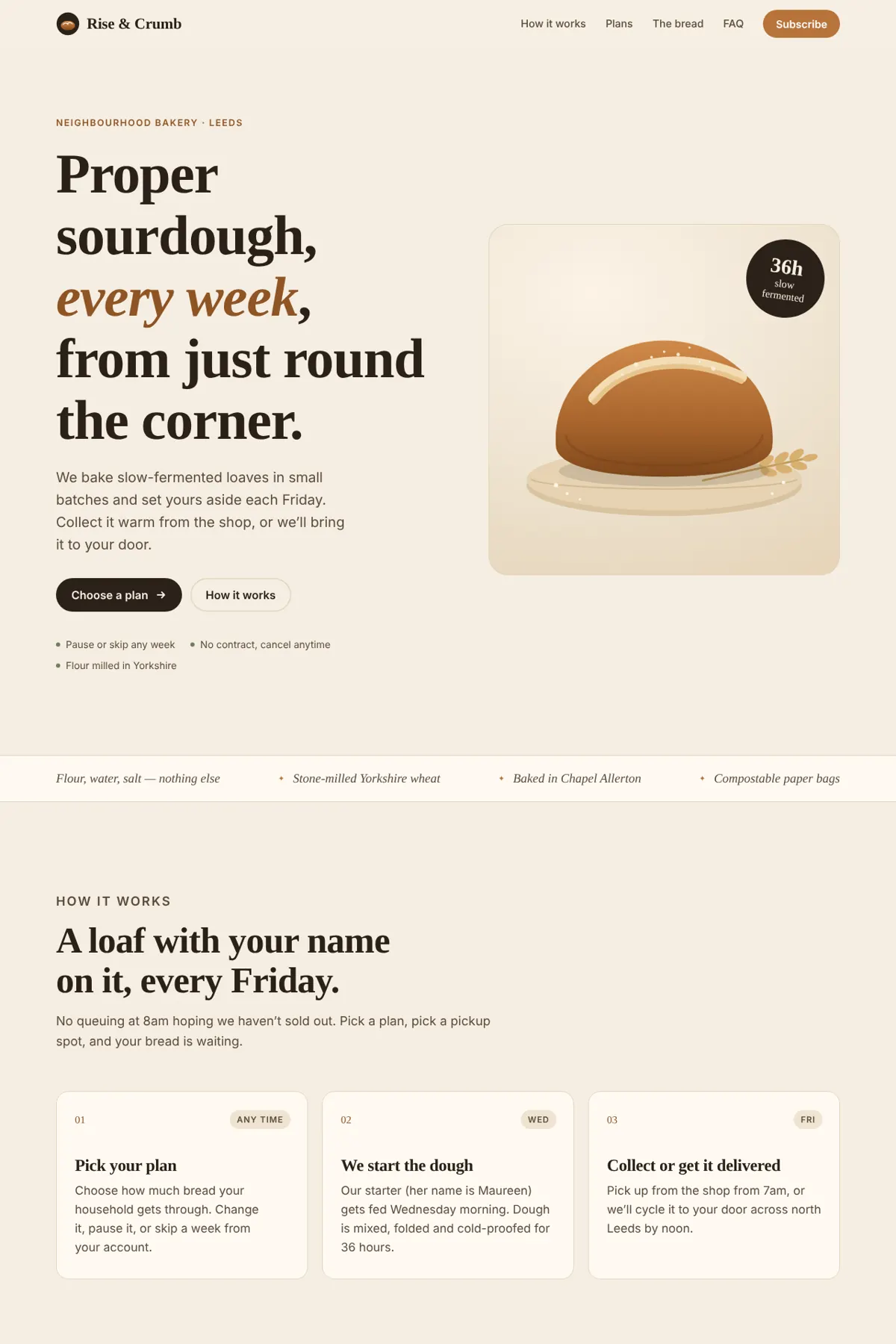
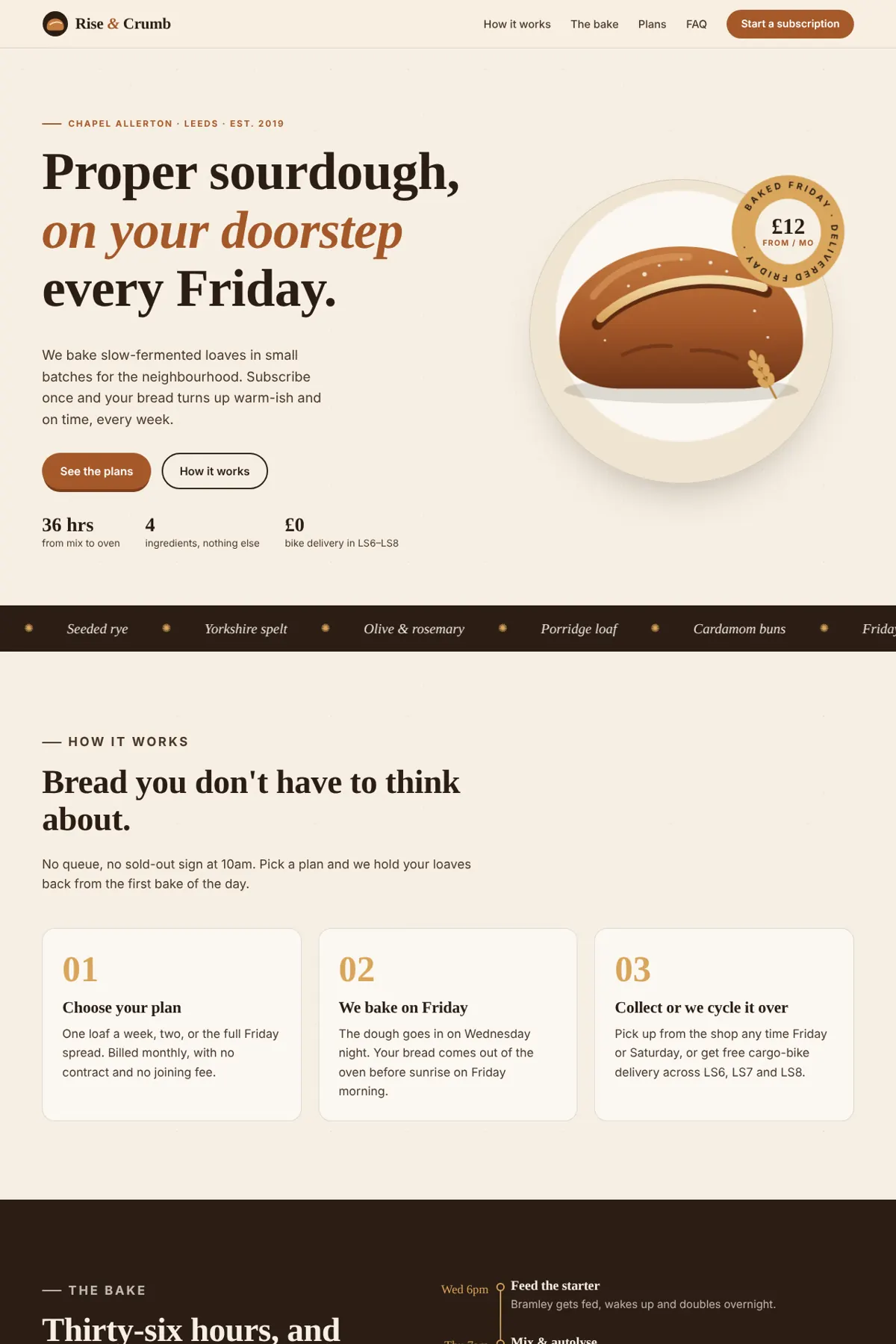
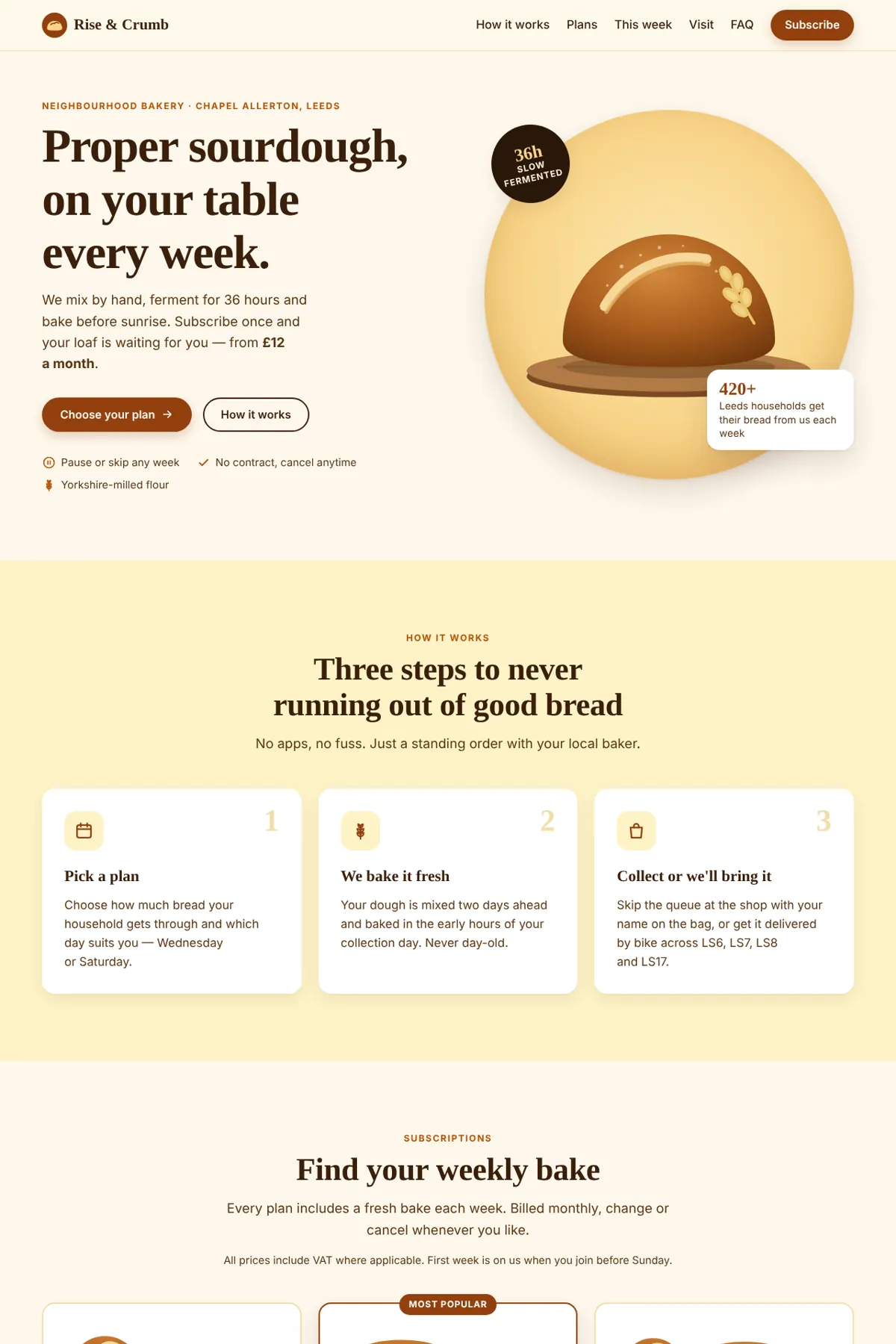
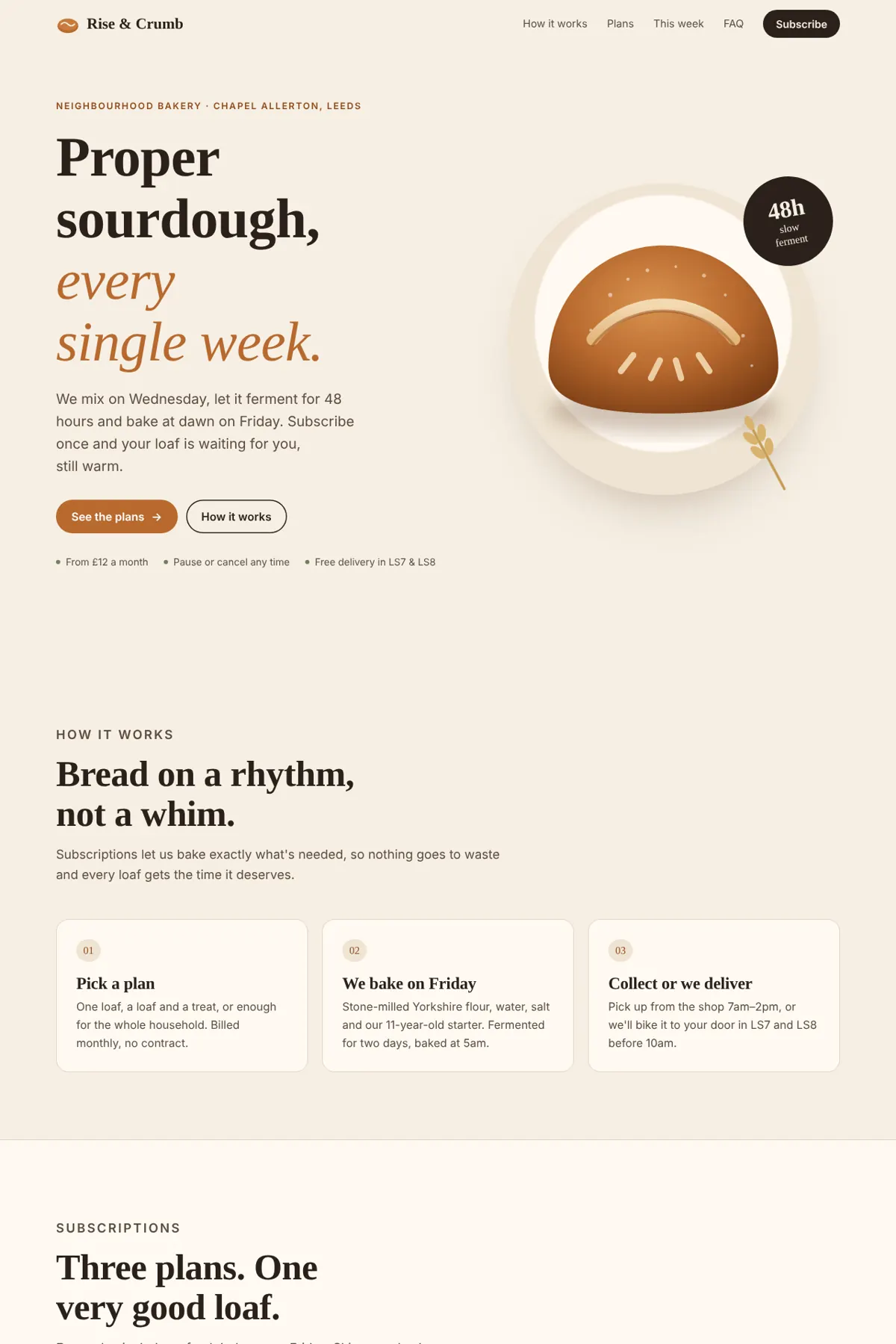
Only two of the four skills changed the design. Plain Claude, ui-ux-pro-max and emil-design-eng all produced nearly the same page twice: cream background, brown accents, an italic serif headline and a round loaf. frontend-design and impeccable each produced two different, distinct directions, and both passed every contrast check in both runs. impeccable was the only skill that invented nothing: no customer reviews, no founding year, no street address. It also took about three times as long and cost about three times as much.

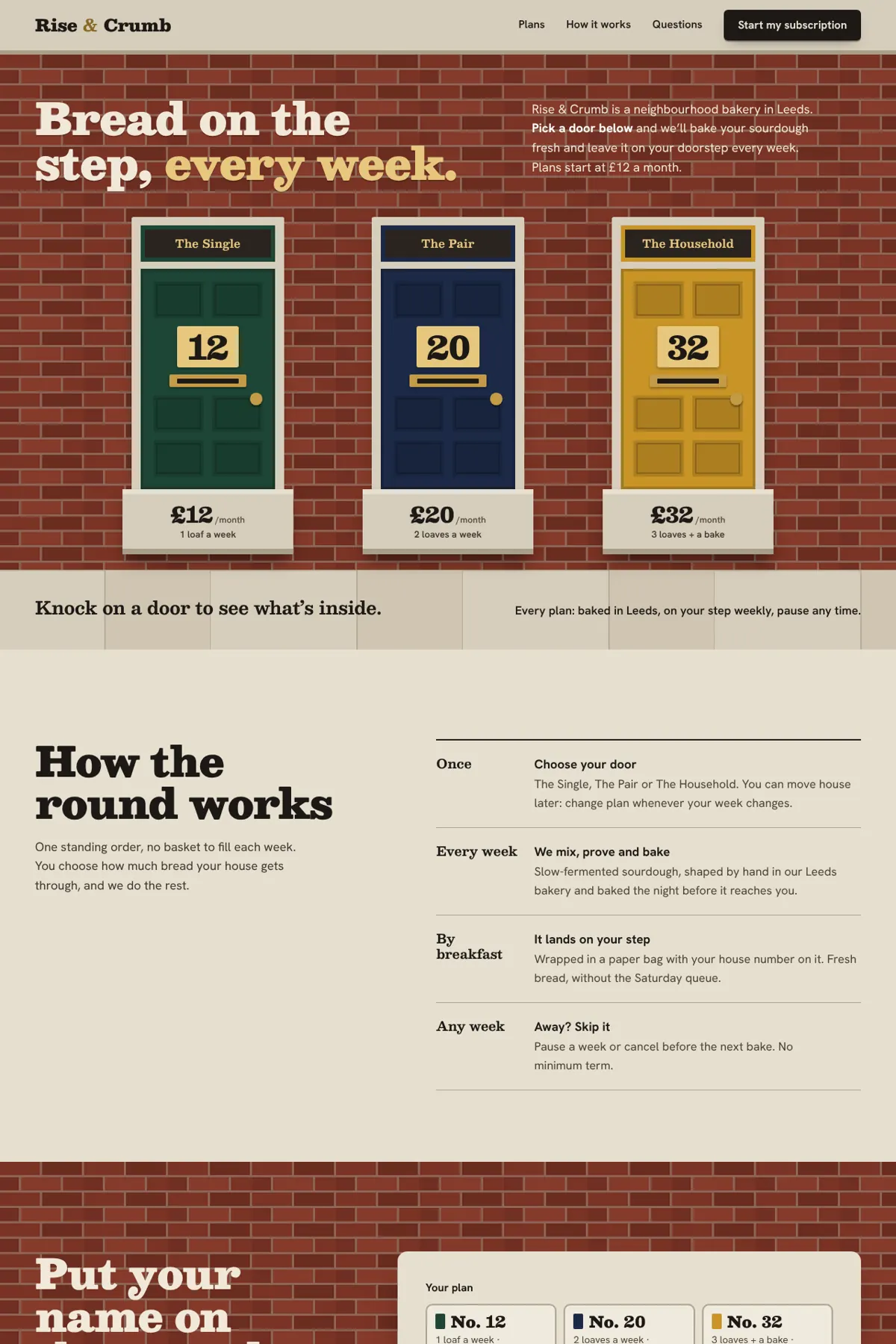
  • Most original designimpeccableTwo distinct concepts (a seed packet, a street of front doors), zero contrast failures, nothing invented. About 8 to 9 minutes and $2.36 a page.
  • Best valuefrontend-designA distinct direction in both runs, zero contrast failures, at plain Claude's time and cost (about 3 minutes, $0.72).
  • No clear gain for landing pagesui-ux-pro-maxThe same look plain Claude makes, with made-up customer reviews in both runs.

The task, word for word

Build a landing page for Rise & Crumb, a neighbourhood bakery in Leeds that sells weekly sourdough subscriptions (3 plans: £12, £20, £32 per month). Write it as a single index.html file with inline CSS, no build step, no external images. Don't ask me questions; make reasonable choices and finish.

Results

SkillUsed it by itselfRun 1Run 2TimeAPI cost
No skill (plain Claude)
Claude Code with no skill installed
—11 low-contrast text, fits phones1 low-contrast text, fits phones3 min 28 s$0.86
frontend-design
by Anthropic · 1,124,555 installs
2 of 2 runs0 low-contrast text, fits phones0 low-contrast text, fits phones3 min 7 s$0.72
impeccable
by pbakaus · 411,184 installs
2 of 2 runs0 low-contrast text, fits phones0 low-contrast text, fits phones8 min 36 s$2.36
ui-ux-pro-max
by Next Level Builder · 454,220 installs
2 of 2 runs4 low-contrast text, fits phones0 low-contrast text, fits phones3 min 54 s$0.96
emil-design-eng
by Emil Kowalski · 452,456 installs
2 of 2 runs14 low-contrast text, fits phones9 low-contrast text, fits phones3 min 13 s$0.85

A count of low-contrast text means elements below WCAG AA (4.5:1, or 3:1 for large text), measured on solid backgrounds after scrolling the whole page. “Used it by itself” counts runs where Claude invoked the skill without being told to. When it did not, we ran the task again with the skill called by name and report that run instead, marked “called by name”. Time and cost are averages over the runs.

No skill (plain Claude)

Plain Claude's bakery page: cream background, brown italic serif headline, round loaf illustration

frontend-design

frontend-design's page: bright blue hero with heavy white headline and a loaf in concentric rings

impeccable

impeccable's page: dark green seed-packet design with a bread illustration in an arched window

ui-ux-pro-max

ui-ux-pro-max's page: cream and yellow with brown serif headline and a round loaf, close to plain Claude's

emil-design-eng

emil-design-eng's page: cream background, brown serif headline and round loaf, close to plain Claude's
Run 1 from each skill, top of the page at desktop width. Three of the five share the same cream-and-brown bakery look.

No skill (plain Claude)

Plain Claude's second page, again cream and brown with a round loaf

frontend-design

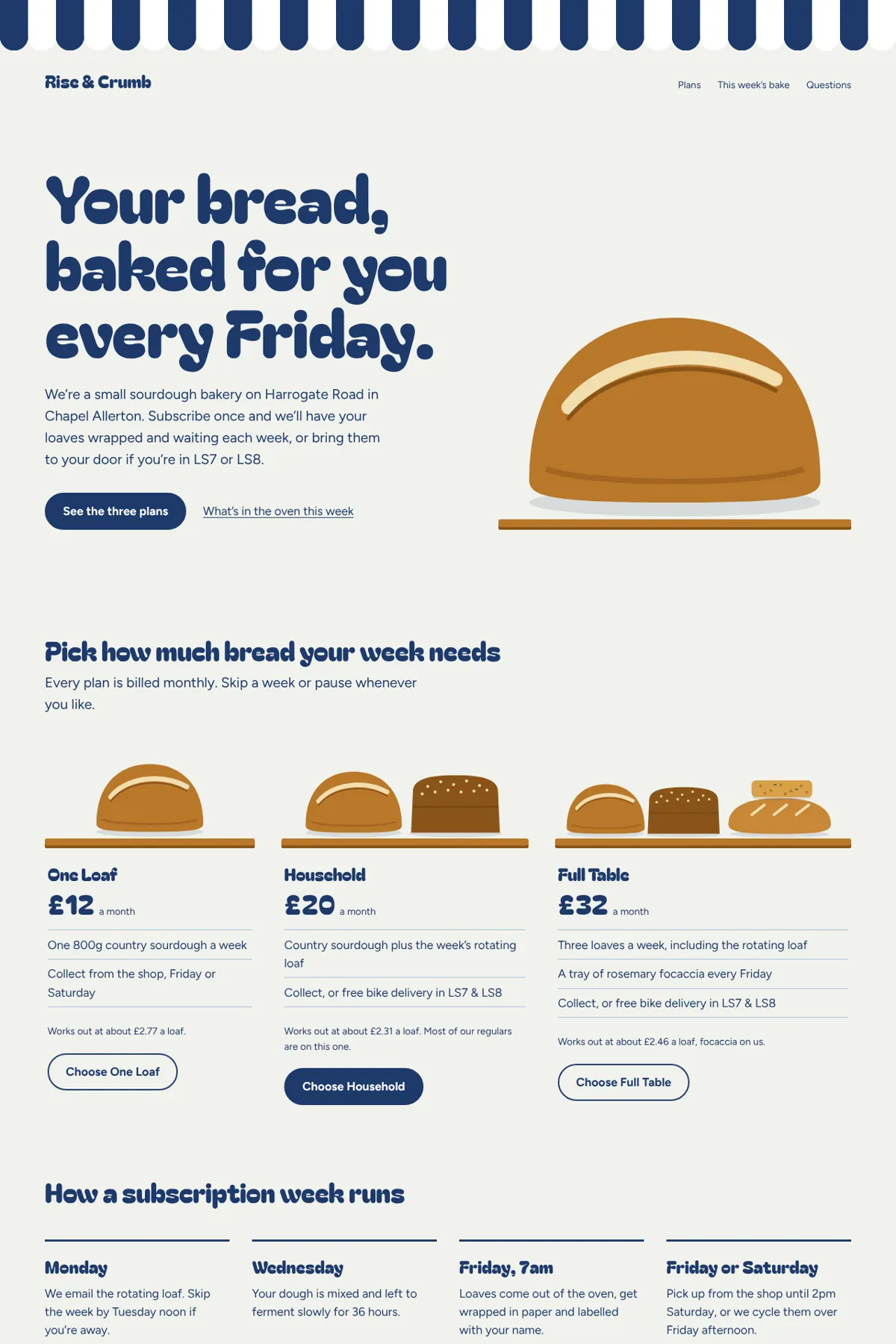
frontend-design's second page: navy awning stripe and a chunky rounded headline

impeccable

impeccable's second page: a red-brick terrace with three front doors numbered 12, 20 and 32

ui-ux-pro-max

ui-ux-pro-max's second page, cream and brown again

emil-design-eng

emil-design-eng's second page, cream and brown again
Run 2. frontend-design and impeccable changed direction again (a bread-bag awning, a red-brick street of doors); the other three repeated their first look.

No skill (plain Claude)

Claude Code with no skill installed

  • The same cream, brown and italic-serif look in both runs.
  • Added named customer reviews (for example “Priya, Chapel Allerton”), a founding year (2019) and a street, none of which were in the brief.
  • Run 1 had 11 text elements below WCAG AA contrast, mostly buttons at 4.19:1.

frontend-design

by Anthropic · 1,124,555 installs

  • A different, specific direction each time: enamel-tin blue with a bread-bag stripe, then a navy awning with a chunky rounded face.
  • Zero contrast failures in both runs.
  • Invented a founding year and a street address, but no customer reviews.
  • About the same time and cost as plain Claude.

impeccable

by pbakaus · 411,184 installs

  • Ran its own command-line tool to pick a concept and to scan the page for design anti-patterns, then fixed what it found.
  • In run 1 it said it had skipped its usual interview and direction-picking step because we told it not to ask questions.
  • Invented no reviews, years or addresses in either run.
  • The slowest and most expensive by far: 8 to 9 minutes and about $2.36 a run, against 3 to 4 minutes and $0.86 for plain Claude.

ui-ux-pro-max

by Next Level Builder · 454,220 installs

  • Searched its bundled design database for a bakery style first, in both runs.
  • The result looked like plain Claude's in both runs.
  • Made up three named customer reviews in both runs.
  • Run 1 had unreadable initials in the review avatars (1.1:1 contrast) and a faint form note.

emil-design-eng

by Emil Kowalski · 452,456 installs

  • The skill is about the polish of interactions and components, not page design, and it showed: the page looked like plain Claude's.
  • Most contrast failures of any skill: 14 and 9 text elements, mostly buttons and labels at 3.75 to 4.24:1.
  • Invented a subscriber count (620) or a loaf count (640) and a street address.

Each skill was installed alone with its own install command in a fresh folder, and the same prompt was run 2 times per skill plus 2 times with no skill, in Claude Code 2.1.326 in headless mode on November 17, 2026. Results come from checks we ran after each run: automatic contrast checks on every piece of text (WCAG AA), a phone-width check for sideways scrolling, console errors, and a reading of each page for details the brief never gave. How we test skills. Every skill we have tested.

Each skill is made and maintained by its own author, named above. SkillsBot.org is an independent directory and is not affiliated with any of them.

How to choose

You want a page that does not look like every other AI-made site: the test points to impeccable or frontend-design. Both changed direction between runs and passed every contrast check. impeccable goes further (its own concept generator and anti-pattern scanner) but takes about three times as long and costs about three times as much.

You care about cost and speed: frontend-design gave a distinct page at plain Claude's price.

You want a design database or interaction polish: ui-ux-pro-max searches a bundled library of styles, palettes and font pairings, and emil-design-eng is Emil Kowalski's guide to interaction details. On a whole landing page neither changed the result much, so they suit other jobs better.

Watch for invented details

Most runs added things the brief never gave: customer reviews with names, a founding year, a street address, a subscriber count. On a real business page those need removing or replacing with true ones. Only impeccable added none.

Frontend Design Skills Compared: FAQ

Which frontend design skill is best for Claude Code?

In our test, impeccable made the most original pages and frontend-design gave the best value. Both changed the look plain Claude produces; ui-ux-pro-max and emil-design-eng did not.

Is impeccable better than frontend-design?

It made more distinctive pages and invented nothing, but took 8 to 9 minutes and about $2.36 a page, against about 3 minutes and $0.72 for frontend-design.

Can I install more than one design skill?

Yes, but Claude picks one by its description. We tested each skill alone so the results are not mixed.

Was this a fair test?

Each skill was installed alone in a fresh folder, with the same prompt and the same Claude Code version, two runs each. Pages were checked automatically for contrast and phone layout.